Navigating WordStream Keyword Tools for Keyword Research
Navigating WordStream Keyword Tools for Keyword Research
Keyword research sits at the center of every successful PPC campaign and SEO strategy. Finding the right terms — ones that match commercial intent, fit your budget, and attract your target audience — is what separates campaigns that convert from ones that drain budget. WordStream's keyword tools are built specifically to speed up that process, offering a practical research environment for advertisers, agencies, and small-to-medium businesses that need actionable data without a steep learning curve.
Overview of WordStream Keyword Tools
WordStream positions its keyword research suite around one core promise: fast discovery of relevant, commercial-intent keywords. The platform is not trying to replace deep-dive enterprise tools; it is designed to get you from a blank slate to a prioritized keyword list in minutes.
The toolset supports two distinct workflows. The first is exploratory research — you have a product, service, or topic, and you need to discover what people are actually searching for. The second is campaign refinement — you already have a list, but you need to group it, trim irrelevant terms, and sharpen focus before launching ads or publishing content. WordStream handles both without requiring a data science background.
For agencies managing multiple clients, the speed advantage matters. For SMBs running their own Google Ads accounts, the low barrier to entry matters just as much. Both audiences find something genuinely useful here.
How to Find and Access the WordStream Keyword Tool
Free Keyword Tool
The Free Keyword Tool is the flagship entry point. Navigate to WordStream's main website and look under the Tools menu in the primary navigation — the Free Keyword Tool is listed there directly. Alternatively, searching for the term wordstream keyword tool in any search engine will surface the dedicated tool page as a top result. You can reach it in under a minute either way.
Account and Sign-in
You do not need an account to run a basic search. Enter a seed keyword or a URL, hit the search button, and WordStream will generate a list of keyword ideas. However, anonymous access limits what you can do with the results. Creating a free account unlocks the ability to save keyword lists, export data to a CSV, and access certain filters that are hidden in the unauthenticated view. Sign-in takes less than two minutes and is worth doing even if you only use the tool occasionally.
Navigational Paths
Before running your first search, confirm the region and language settings. WordStream pulls volume and CPC data that varies significantly by geography — a keyword that carries a $12 CPC in the United States might be a fraction of that in another market. Setting the correct country and language before you start ensures the data you see actually reflects your target audience.
Core Features of the Keyword Research Tools
Free Keyword Tool
The Free Keyword Tool generates keyword ideas from a single seed term or URL. Each suggestion comes with basic indicators: approximate search volume, a competition score, and a cost-per-click estimate. These are directional numbers rather than precise figures, but they are sufficient for prioritization decisions. You can see quickly which terms are high-volume but expensive, which are niche but affordable, and which might be worth testing at either end of the funnel.
Keyword Grouper
The Keyword Grouper is one of WordStream's more distinctive features. Rather than handing you a flat list of hundreds of terms, the Grouper clusters related keywords into themed groups automatically. This is directly useful for structuring Google Ads campaigns — tight ad groups built around closely related terms consistently produce better Quality Scores, higher click-through rates, and lower CPCs. For SEO, those same clusters translate into content topics, allowing you to build pillar pages and supporting articles that are semantically coherent and easier for search engines to evaluate.
Negative Keyword Tool
Negative keywords are one of the most underused levers in PPC, and WordStream has dedicated a specific tool to them. The Negative Keyword Tool helps identify search queries that are adjacent to your target terms but fundamentally irrelevant to your business. Running this process before a campaign launches — rather than after budget has been spent on wasted clicks — materially improves ROI. It also supports better Quality Scores by tightening the relationship between your ads, your keywords, and your landing pages.
Competitive and Intent Signals
WordStream surfaces competition scores alongside volume and CPC data, which gives you a rough proxy for how many advertisers are competing for a given term. High competition on a commercial-intent term usually signals strong monetization potential, even if it also means higher bids. Lower-competition terms with decent volume often represent opportunities, especially for SEO where you are not paying per click. These cues help prioritize which keywords to pursue first, whether for an ad campaign or a content calendar.
Step-by-Step Workflow for Keyword Research
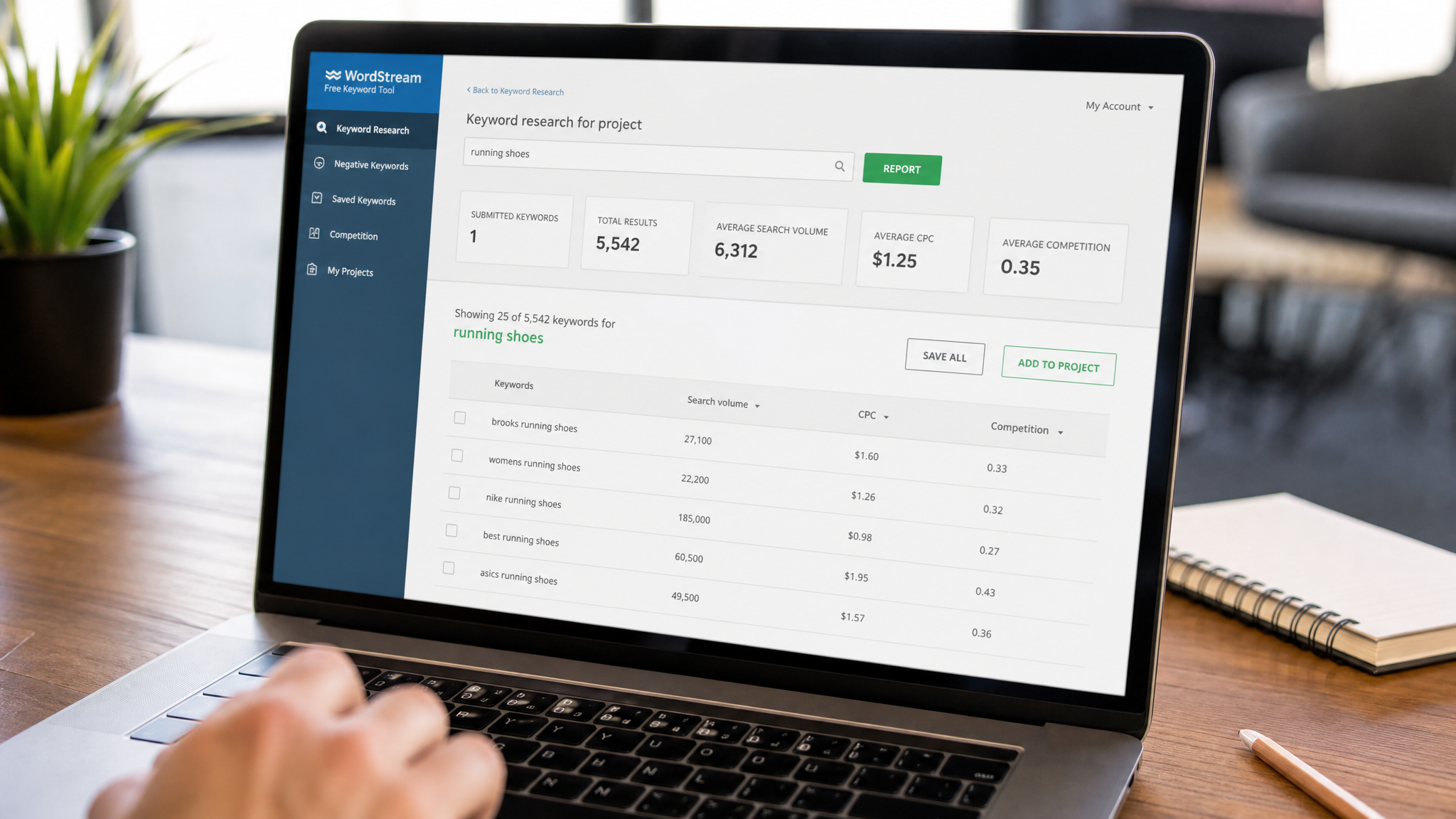
Starting a research session in the wordstream keyword tool takes a clear sequence to get the most out of it.
Enter your seed keyword — a product name, service category, or topic — or paste in a relevant URL if you want the tool to infer keywords from an existing page. Select the appropriate country and language, then run the search. WordStream will return a list of keyword ideas within seconds.
Scan the initial results with three filters in mind: volume (is there enough demand?), CPC (does it match your budget or indicate strong commercial intent?), and relevance (does it actually describe what you offer?). Flag priority terms as you go. Most practitioners find it useful to work in rounds — a broad first pass to identify themes, then a tighter second pass to select specific terms within those themes.
Once you have a raw list of candidates, use the Keyword Grouper to cluster them. The groupings it suggests are a starting point, not a final answer; you may want to merge some groups or break others apart depending on how your campaigns or content are structured. With groups established, run the Negative Keyword Tool against your list to identify terms that could trigger irrelevant traffic.
Export the final output to a CSV and transfer it to Google Ads, your spreadsheet, or your CMS. The export format is straightforward and maps cleanly to standard ad platform import templates.
Plans, Limits, and Availability
Free access to the wordstream keyword tool comes with limits. Daily lookup quotas apply to unauthenticated users, and export functionality is restricted. Creating a free account removes some of those restrictions — saved lists become available, and you can access a larger set of results per query.
Premium subscriptions, where available, expand usage limits further and integrate keyword research into broader campaign management workflows. If your team runs high-volume keyword research regularly, the subscription tiers are worth evaluating against the time cost of hitting free-tier limits.
One important caveat applies across all tiers: WordStream's volume and CPC data are estimates, not live figures pulled directly from Google's auction data. For critical decisions — setting final bids, projecting traffic for a major campaign launch — validate WordStream's numbers against Google Ads' own Keyword Planner or Search Console data. WordStream is excellent for discovery and direction; platform-native tools provide the ground truth for execution.
Best Practices for PPC and SEO Using WordStream
Long-tail keywords deserve more attention than most advertisers give them. A three-or-four-word phrase like "commercial HVAC maintenance contracts" may generate a fraction of the volume of "HVAC," but the conversion rate and CPC efficiency are typically far superior. WordStream surfaces these longer variants naturally, so prioritize them in your selection process.
Use the Keyword Grouper output to structure both your ad groups and your on-page SEO. Tight thematic groupings in Google Ads reduce your CPC over time; those same groupings applied to content strategy produce pages that rank more cleanly for their intended queries.
Apply negative keywords before campaigns go live. Waiting until after launch to analyze search term reports and add negatives is a standard practice, but an expensive one. Starting with a solid negative list from WordStream cuts early waste and protects Quality Scores from the first day.
Finally, treat WordStream as one layer in a research stack, not the entire foundation. Its strength is speed and accessibility. Pairing its output with Google Ads Keyword Planner for volume validation and Search Console for actual query data from your own site gives you a more complete picture — and more defensible decisions when allocating budget or planning content.